
Account deletion
Delete your account in the relevant app.
HxAR and HxARBooks include an in-app deletion route. This page explains where to find it, what to consider first and how to ask for help if the process fails.
This website explains the process but does not delete an account. Start permanent deletion inside the relevant app, or contact support if the in-app control cannot be reached.
Start deletion in HxAR
Open HxAR while signed in, then follow this route:
- Open your Profile.
- Choose Edit Profile.
- Select Delete Account below Save Changes.
- Read the warning and confirm only when you are ready.
Start deletion in HxARBooks
Open HxARBooks while signed in, then use the same account route:
- Open your Profile.
- Choose Edit Profile.
- Select Delete Account.
- Read the warning and confirm only when you are ready.
Deletion is permanent
The current app presents deletion as an irreversible action. Do not continue if you want only to sign out or take a break.
Use the in-app control to start permanent deletion. If deletion fails or previously published content remains visible, contact support and identify the affected item so it can be reviewed and removed, subject to records that must be retained for law, fraud prevention, security or a live dispute.
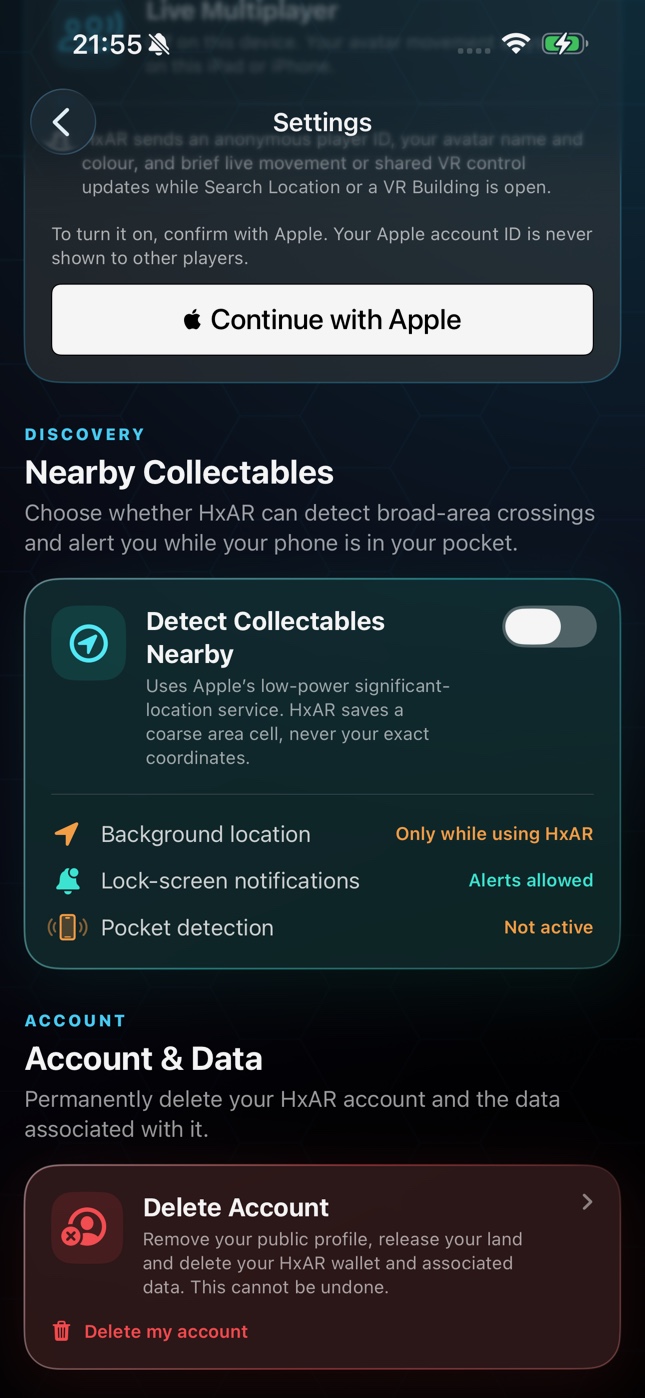
This guide was reviewed for the HxAR 2.0 App Store release, including the Delete Account control in Settings. Account and content flows for features still in development will be added when those features become available.
Purchases and Hexagon Tokens
Deleting HxAR does not delete Apple’s record of an App Store transaction. Consumable balances and HxAR account data can be affected by permanent deletion, so review your account before confirming.
HxAR does not currently advertise an auto-renewable subscription. HxARBooks Pro is separate: deleting a HxARBooks account does not itself cancel an Apple subscription, so review or cancel the subscription in Apple Account settings as well.
If you cannot complete deletion
Email HxAR support with the username on the account, the device model, iOS version and the exact error shown. Never send an Apple password, verification code or Sign in with Apple credential.