
C3Virtual property
Build somewhere worth visiting
Create configurable buildings, rooms and terrain with portals, lifts, media, pedestals and playable spaces.
HxAR 2.1 · Create
Create a replacement building for a mapped property you own using HxAR 3D Design Studio. HxAR 2.1 also adds shops, Advert Boards and updated HexTile controls, alongside the AR experience library and shared virtual spaces.
Start with a micro property or a large property you own. Open Building → Design a replacement to enter HxAR 3D Design Studio, create the replacement, then send and place it on the property. Follow the new guides for shops and Advert Boards too.
A spatial toolkit
Create at the scale that suits the idea: one interactive object, a composed story, a reusable asset library or an entire virtual building.
Create configurable buildings, rooms and terrain with portals, lifts, media, pedestals and playable spaces.
Wired AR lets you build heating-control circuits, introduce faults and test them with a simulated digital multimeter.
Create → Connect → Share
Add USDZ models, images, video and useful links.
Arrange position, scale, appearance and relationships.
Add motion, collision, doors, driving and game actions.
Keep the editable scene local, upload deliberately and share its cloud lookup QR.
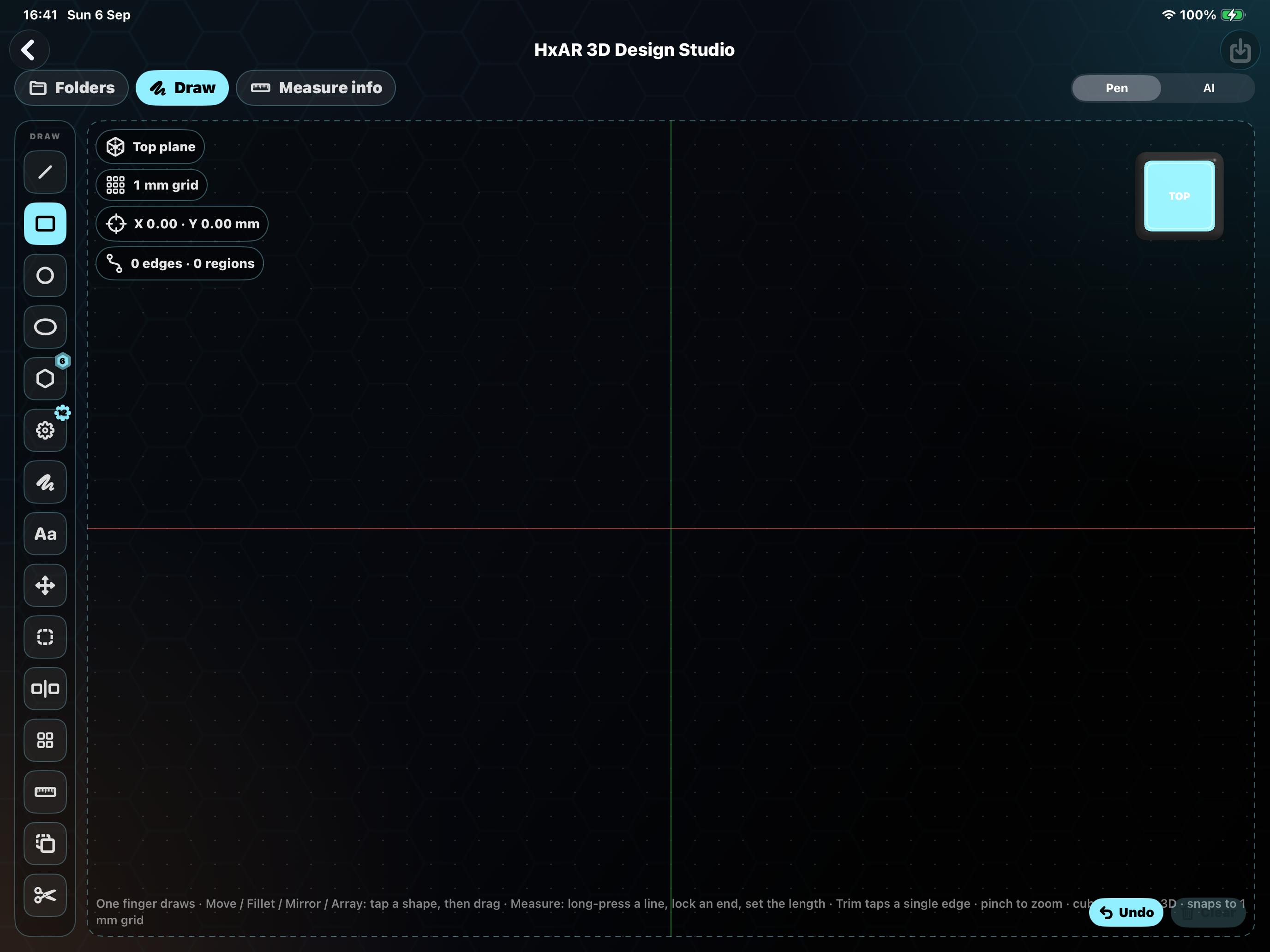
HxAR 2.1 · 3D Design Studio
Use the iPad Studio workspace to prepare measured surfaces, a walkable doorway, materials and facade pictures. Save and send the design, then select the revision to place it on your mapped property.
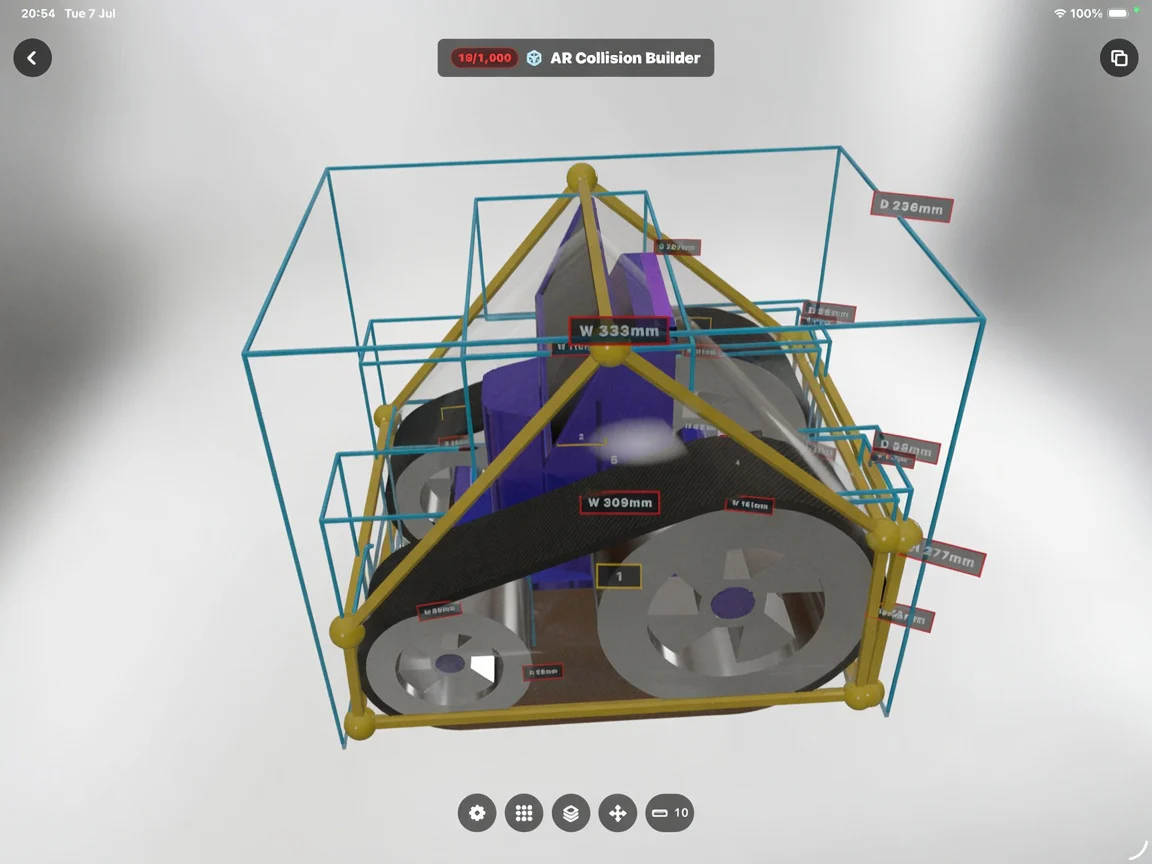
AR Collision Builder
Add Point, Flat and 3D collision shapes around a saved scene’s assets, edit their dimensions and keep within a 1,000-point budget. This development tool has a documented media-save limitation, so read the guide before using it on an important scene.
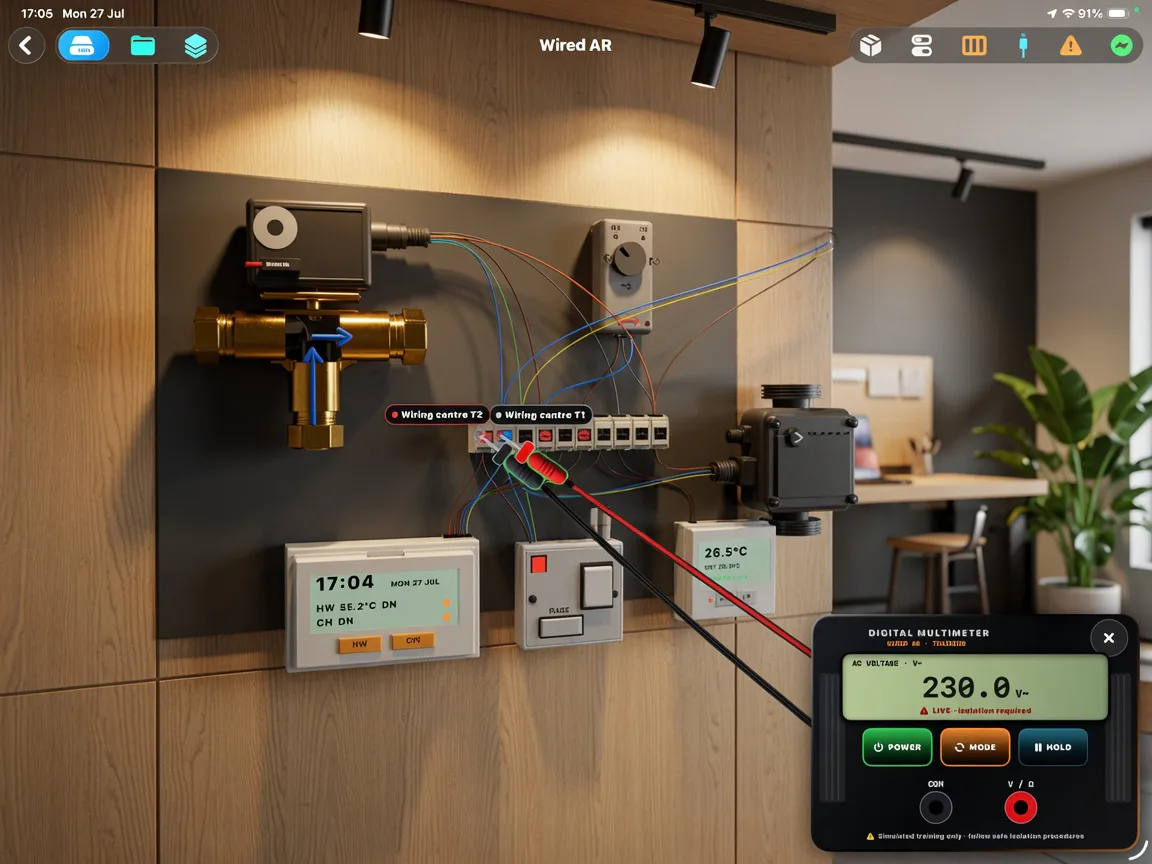
Wired AR
The Wired AR development workspace arranges virtual controls, terminals and cable paths around a simulated meter. It is an educational simulation, not accredited training or permission to work on live equipment.
Come back with a different intention
Discover something nearby, continue something you started, or use the same room for an entirely different spatial experience.